
SULICOM · Agentic Engineering
Oleksandr Koryttsev
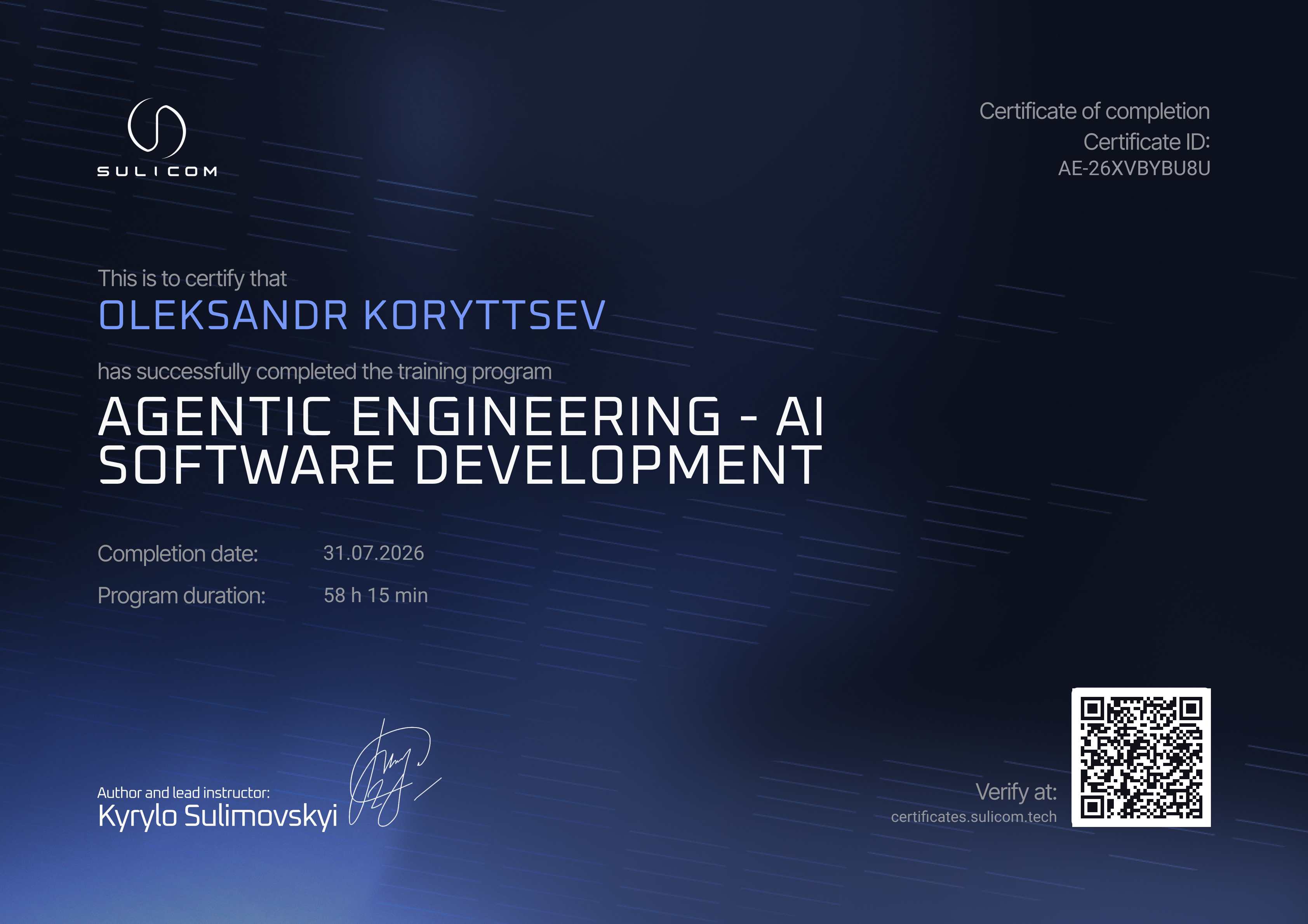
Certificate ID
AE-26XVBYBU8U
Issued
August 17, 2026
Completion date
July 31, 2026
Duration
58 h 15 min
Share your achievement
Add your certificate to your LinkedIn profile or share it with your network.
Add certificate to LinkedInAbout the program
A hands-on program for developers moving from occasional AI usage to real engineering work with agents. Participants master Claude Code, MCP servers, skills, subagents and spec-driven development, then apply all of it to their own SaaS project. The program consists of two preparatory modules on LLM mechanics and nine core modules that lead from environment setup to production deployment. Every module ends with a practical assignment on the participant's own codebase, and live sessions between modules cover project reviews and open questions. Outcome: a working agentic workflow tuned to the participant's own stack, a personal set of skills, commands and subagents, and a project taken from idea to working state.
Instruction language: Ukrainian
Skills
- Artificial Intelligence (AI)
- Prompt Engineering
- Large Language Models (LLM)
- Software Development
- Software Architecture
- Claude Code
- Model Context Protocol (MCP)
- Test-Driven Development (TDD)
- AI Agents
- Git
Curriculum
01Pre-course Module 1 - How LLMs Work: The Mechanics Under the Hood
- Tokens: how text becomes numbers and why it matters
- Input vs output tokens: pricing and limits
- The context window: what it is, context rot, overflow
- Stochasticity: temperature, top_p and other parameters, why one prompt gives different results
- Hallucinations: why an LLM lies confidently and how to work with it
- The attention mechanism, simplified for developers
- The stateless nature of LLMs: no memory between sessions
- Training vs inference: what the model knows vs what you give it
- Embeddings and vector representations: how a model understands text
- Model size vs quality
- Latency vs quality
- Reasoning models vs standard models: when thinking is needed
- Cost: what daily work with Claude actually costs
02Pre-course Module 2 - The Claude Ecosystem and Coding Assistants
- Tool use and function calling: how an LLM acts in the real world
- Coding assistant = LLM + tool use: the anatomy
- The agentic loop: observe, think, act, repeat
- System prompt vs user prompt: the role of the system prompt
- Fine-tuning vs prompting vs RAG: three ways to adapt a model
- Prompt injection: how attackers manipulate an LLM
- Data privacy: what is sent to the server and who sees it
- The AI Fluency Framework 4D: delegation, description, discernment, diligence
- The developer as orchestrator: a new role in AI
03Module 3: Claude Code - Installation, Configuration and Working Environment
- Installing Claude Code
- Setting up the working environment
- Input and commands
- Settings.json: the complete guide
- Sessions, context and compaction
- Permissions
- Sandboxing
- Docker and devcontainers
- Claude Code beyond the terminal
04Module 4: Prompt and Context Engineering - Making Claude Produce Repeatable Results
- How to write prompts
- How to supply context: @ mentions, screenshots, pipes, hybrid strategy
- The .claude folder as a foundation: project, user, scope system
- CLAUDE.md as baseline control
- Large CLAUDE.md: .claude/rules/, path-specific rules, tool descriptions
- Plan mode and think mode
- Context in a long session: /compact, /clear, subagents, budget
- Bounded contexts: system boundaries before folder structure
- Legacy refactoring without boundaries
- Scaffolding as the culmination: materialising bounded contexts into a file system
05Module 5: Commands, Skills, Hooks, Plugins, Marketplace, Agent SDK
- Custom commands
- Agent skills
- Building your own skills
- Hooks
- Plugins: installing and building
- Building a marketplace for your team
- Claude Agent SDK and capstone wrap-up
- Module assignment: a plugin for your own SaaS project
06Module 6: SDLC Phase 1 - Preparing a Project with Claude
- Introduction to SDLC, gates and artefacts
- Domain glossary and the product idea brief
- From brief to PRD: what, from what, from where, how
- Architecture design: SAD and ADR documents
- Data model and migrations
- API contracts with OpenAPI
- Tasks: the unit of work for an agent
07Module 7: SDLC Phase 2 - Building Features with Claude
- Execution map: spec-driven development
- The Ralph loop: autonomous execution
- /goal, the autonomous finish: Ralph in a box
- Dynamic workflows
- Background execution: sessions, dashboard, scheduling
- Feedback loops: verification as execution discipline
- TDD as execution discipline
- Module assignment: execution discipline
08Module 8: MCP - Model Context Protocol
- What MCP is: the client-server architecture
- MCP primitives: tools, resources, prompts
- Connecting MCP servers to Claude Code
- The MCP ecosystem: ready-made servers in practice
- Claude as an MCP server: claude mcp serve
- Building your own MCP server
- MCP Inspector: debugging and testing servers
- Channels: chat directly into your Claude Code session
- Module assignment: MCP from consumer to author
09Module 9: Collaboration
- Git workflow with Claude: trunk-based development and clean commits
- Git worktrees: running agents in parallel
- Worktree merging and cleanup
- Pull requests: creation and automation
- Code review with Claude: local review inside a session
- @Claude on the platform: pull requests, review and integration
- Release and documentation with Claude
- Module assignment: from commit to merge through worktree, pull request and review
10Module 10: Agent Teams
- Subagents: delegation and context isolation
- Custom subagents: building specialised agents
- Evals and regression testing for agents
- Agent teams: teams of peer agents
- Agentic debugging: a systematic approach
- Module assignment: build your own agentic workflow from task to merged pull request
11Module 11: Production
- Agent security in production: from attack path to regression test
- Putting an agent on duty: deploying to a VPS
- After deployment: metrics, logs and the AI on call
- Design with Claude: from design system to first page
- Professional design with Claude: Figma and Pencil
- Claude Code in a team: from pilot to standard
- Finale: where all of this is heading
Need help with your certificate?
If you noticed an error in your details or have a question about the certificate, contact our support.
Contact support →